

Layouts & Pages
Layouts
A layout is the outer shell every page shares: the header, navigation, footer. You create one (or a few) layouts and every page uses one.
In the API a Layout has:
uiComponent— the Vue file to render (CwaLayoutPrimary→app/app/cwa/layouts/primary.vue)uiClassNames— the CSS classes currently selected for this layout, stored as an array (one entry per selected style). The list an editor picks from is declared innuxt.configundercwa.layouts.<Name>.classes;useCwaLayout()applies whatever is stored here to the root element- ComponentGroups: named lists of components that belong to the layout (e.g. a
navigationgroup)
The module wraps your entire site in the current layout's Vue file. Your layout renders the header, then <slot /> where the page content goes, then the footer.
ComponentGroups in Layouts
A layout can own component groups too. The most common is one for the navigation bar.
<!-- app/app/cwa/layouts/primary.vue -->
<template>
  <div>
    <header>
      <CwaComponentGroup
        reference="navigation"
        :location="$cwa.resources.layoutIri.value"
        :allowed-components="[CwaComponentNames.NavigationLink]"
      />
    </header>
    <slot />
    <footer>...</footer>
  </div>
</template>
The reference is a stable name for this group. The location is the layout's own IRI (available from $cwa.resources.layoutIri). The allowed-components restricts what types can be added to this group, by component name.
Pages
A page defines the content structure that renders inside a layout's <slot />. It declares a uiComponent that maps to one of your page template Vue files.
Layout: CwaLayoutPrimary  →  primary.vue
  Page: CwaPagePrimaryPageTemplate  →  PrimaryPageTemplate.vue
    ComponentGroup: "primary"
      ComponentPosition  →  HtmlContent component
      ComponentPosition  →  Image component
A layout's uiComponent holds the full component name (CwaLayoutPrimary), and so does a page's (CwaPagePrimaryPageTemplate). How uiComponent Names Resolve has the rule for layouts, pages and components.
Static Pages
A static page is a one-to-one mapping: one URL → one page. The admin creates the layout structure once, adds components to its component groups, and that's the page content.
Good for: Home page, About page, Contact page — anything with a fixed URL and manually managed content.
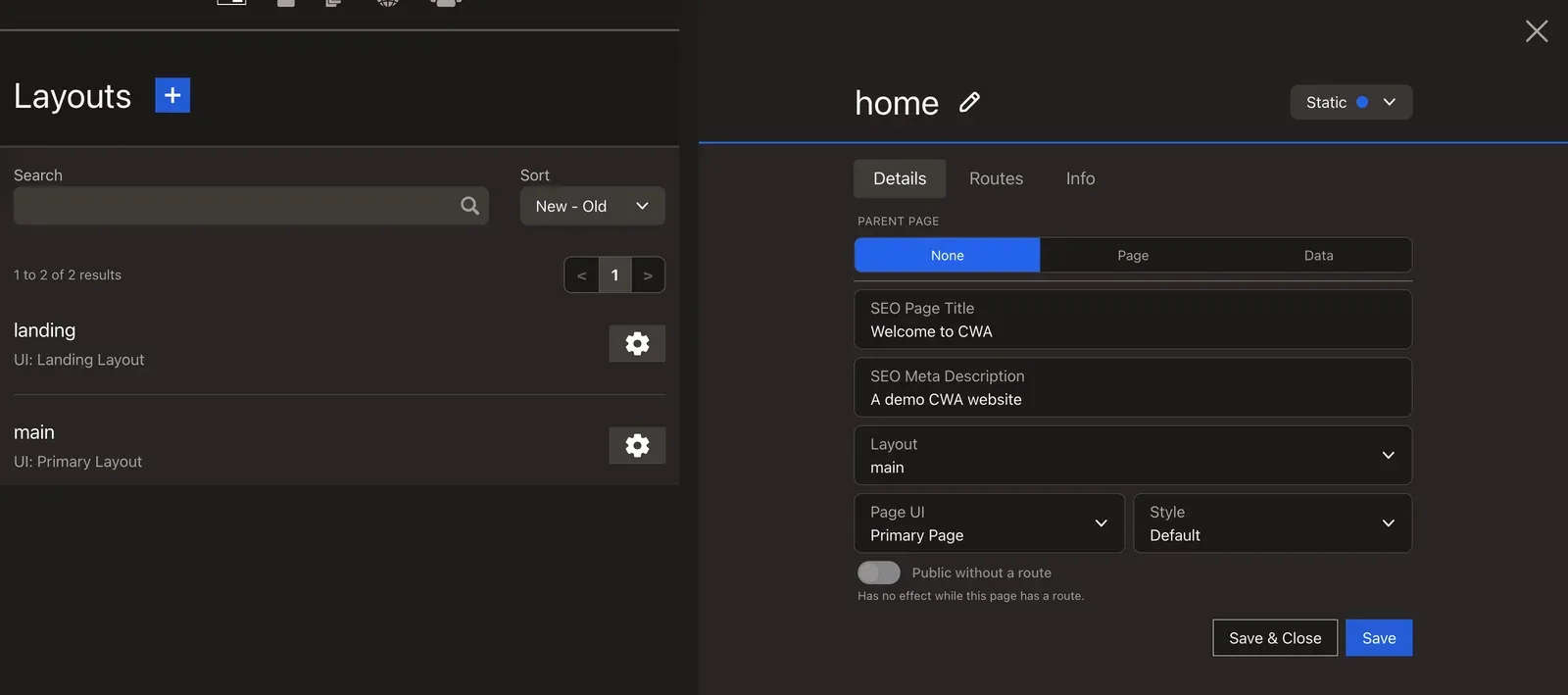
In the admin, static pages are shown in blue.
Template Pages (isTemplate: true)
app/app/cwa/pages/. A template page is a Page record with isTemplate: true, shared by many PageData records. A template page renders through a page template like any other page. In the admin, a template page is a Dynamic page.A template page has no URL of its own. Instead, it's a reusable structure that many PageData records share.
Good for: Blog articles, events, team members, products — anything where the same layout is used for many data records, each with its own URL.
/blog-articles/blog-article-1  →  BlogArticleData  →  blog-template (isTemplate page)
/blog-articles/blog-article-2  →  BlogArticleData  →  blog-template (same template page)
The template page holds the component groups. The actual content (title, body, image) comes from the PageData record.
In the admin, template pages are shown in yellow and PageData records in green (orange until they have a route) — making it easy to see at a glance what is shared structure versus individual content.
What the Public Can See
A page, and everything on it, is public only when a live route leads to it. That route can be the page's own, or one on a page nested beneath it: a parent page with no URL of its own still renders for visitors on a child's URL. A page that nothing routes to, such as a draft page or an unused template, is visible only to admins. The one exception is a page or page data an admin marks Public without a route, for a page your app serves from a route of its own.
Multiple Layouts
You can have several layouts for different sections of the site:
CwaLayoutPrimary— main site layout with full header/footerCwaLayoutMinimal— stripped down, maybe for landing pagesCwaLayoutDocs— sidebar navigation layout
Each is a separate Vue file in app/app/cwa/layouts/. Editors choose which layout a page uses from the /_cwa/pages admin area.
Next: Dynamic Pages
Dynamic Pages shows how template pages and PageData records serve many URLs from one structure.