

Dynamic Pages
The Problem
Imagine you're building a blog. You have 50 articles and you need each one at its own URL (/blog/my-first-post, /blog/second-article, etc.). You don't want to create 50 separate pages in the CMS.
The solution is template pages + PageData: one page structure, many URLs.
Your First Dynamic Page builds one step by step. This page explains how the pieces fit together, using the template's own blog example.
How It Works
- The Route points to a
BlogArticleDataPageData record (not directly to a Page). BlogArticleDatacarries apagefield naming theblog-templatepage to render — one template page shared across all articles. It renders throughPrimaryPageTemplate.vue.blog-templateis a normal Page with ComponentGroups, but some ComponentPositions have apageDataPropertyset (e.g."htmlContent"). At render time those positions resolve to the matching field on the currentBlogArticleDatarecord — so each article shows its own component in that position.BlogArticleDataalso carries its ownhtmlContentcomponent reference. The dashed line in the diagram shows this runtime binding between the ComponentPosition and the component stored on the PageData record.
Creating PageData in PHP
// api/src/Entity/BlogArticleData.php
#[ORM\Entity]
#[ApiResource(mercure: true)]
class BlogArticleData extends AbstractPageData
{
    #[ORM\ManyToOne(targetEntity: HtmlContent::class)]
    #[ORM\JoinColumn(nullable: true, onDelete: 'SET NULL')]
    public ?HtmlContent $htmlContent = null;
}
AbstractPageData already provides title and metaDescription for SEO. You add your custom fields — here, a component that a position on the template page can bind to.
AbstractComponent, to accept any component. The API treats both the same: the component counts as used, is public only while the page data is on a live route, and editing it refreshes the page data. See Component Security.Linking a Page Data Field to a Component Position
A component position on a template page can be bound to a PageData field. This means the component in that position comes from the PageData record rather than being manually added.
In the fixture scaffold:
$cwa->page('blog-template', 'PrimaryPageTemplate', layout: 'main', isTemplate: true,
    configure: function (PageBuilder $p) {
        $p->group('primary')
            ->pageDataPosition(BlogArticleData::class, 'htmlContent');  // binds to BlogArticleData->htmlContent
    }
);
When any BlogArticleData page renders, the primary group shows that article's htmlContent component.
Reading PageData in Your Vue Component
<script setup lang="ts">
const cwa = useCwa()
const pageData = computed(() => cwa.resources.pageData.value)
// pageData.value?.data?.title, pageData.value?.data?.metaDescription, etc.
</script>
$cwa is only a global inside templates — in <script setup> call useCwa() first. Keep the read inside a computed too: pageData is empty until the page-data fetch resolves, so reading .value eagerly at setup time freezes it as undefined. It also changes when a visitor moves between two records that share the template page, because the page component is kept and only its data changes.
Your page template can also pass the IRI down to child components as needed.
SEO
PageData records have title and metaDescription fields (from AbstractPageData). The module automatically uses these to set <title> and <meta name="description"> for each article's URL — no extra code needed.
Admin Management
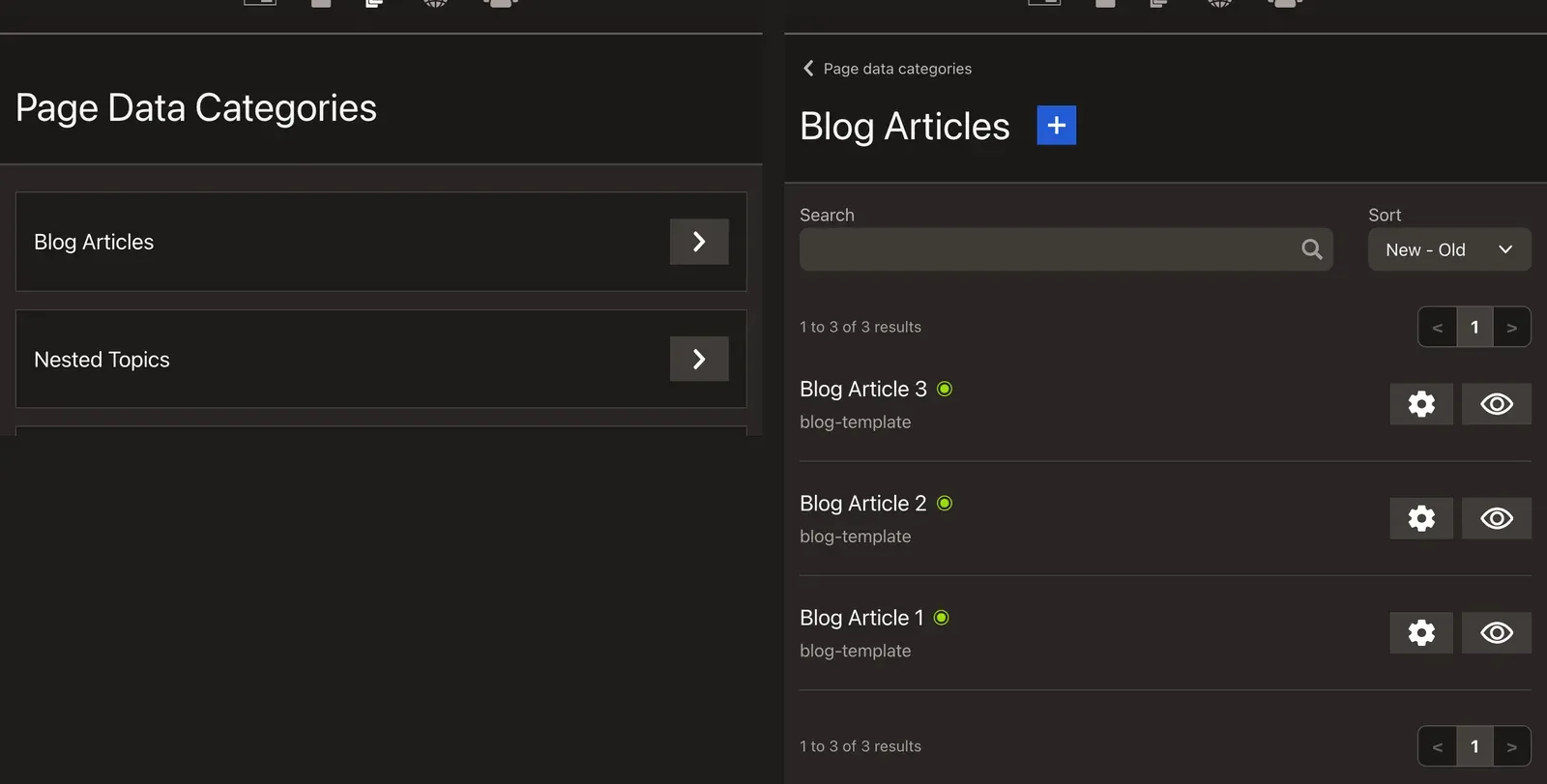
All PageData types appear at /_cwa/data in the admin panel. Editors can:
- Browse all records for a type (e.g. all blog articles)
- Create new records
- Edit the title and meta description, plus any
metaFieldsyou configure for the type undercwa.pageDatainnuxt.config - Edit the components bound to the record (such as
htmlContent) inline on the record's own page
Your own pages can link editors straight to a type's add form with the parent and template already chosen. See Linking to the add page data form.
A record is only public once its route is live. Each route can be live, scheduled for a date, or not live, and scheduled or hidden records are left out of the public collections and the sitemap. See The Admin Panel › Visibility.
Next: Components
Components covers the content that fills every group, whether a position holds it directly or a PageData record does.