

Your First Page Template
Your landing layout is in place — but its <slot /> is empty. A page template fills it. It's a Vue file that places the page's component groups: where the main content goes, where the sidebar lives.
Each CwaComponentGroup in it declares a component group. You declare which groups exist and what they're called; editors fill them with components at runtime. The template's PrimaryPageTemplate.vue has a single group; this guide builds a two-column one beside it.
The File
Create app/app/cwa/pages/TwoColumnPageTemplate.vue:
<template>
  <div class="mx-auto grid max-w-7xl gap-10 px-4 py-10 md:grid-cols-3">
    <div class="md:col-span-2">
      <CwaComponentGroup
        reference="main"
        :location="props.iri"
      />
    </div>
    <aside>
      <CwaComponentGroup
        reference="aside"
        :location="props.iri"
      />
    </aside>
  </div>
</template>

<script setup lang="ts">
import type { IriProp } from '#cwa/composables/cwa-resource'

const props = defineProps<IriProp>()
</script>
Key points
defineProps<IriProp>() — every page template receives its page's IRI as a prop. The module passes this automatically when rendering the page.
CwaComponentGroup reference="main" :location="props.iri" — declares a component group called main owned by this page. Any components the editor adds here are stored against this specific page record. Each CwaComponentGroup with a unique reference is a separate, independently managed group, so aside is a second one.
location must be the IRI of a layout, page, or component. For a page's groups, always use props.iri — the IRI the module passes in automatically for the current page.Register in nuxt.config
Add an entry next to the template's PrimaryPageTemplate:
// app/nuxt.config.ts
cwa: {
  pages: {
    PrimaryPageTemplate: {
      // the template's existing entry
    },
    TwoColumnPageTemplate: {      name: 'Two Column Page',    },  }
}
The key is the filename. Add classes as you did for the layout if this template needs style options; it works the same way.
Create a Page Record
A page template Vue file defines the structure; a Page record in the database gives it a URL and assigns it to a layout.
Naming convention: the page template's global component name is the filename prefixed with CwaPage — TwoColumnPageTemplate.vue → CwaPageTwoColumnPageTemplate. That full name is what the page's uiComponent stores, whether you create the page in the admin or from fixtures.
Via the admin
Go to /_cwa/pages → the + button → choose Two Column Page as the Page UI (stored as uiComponent: CwaPageTwoColumnPageTemplate), choose the landing layout, and click Add Now. The page opens on its Routes tab: create a route with the path /landing.
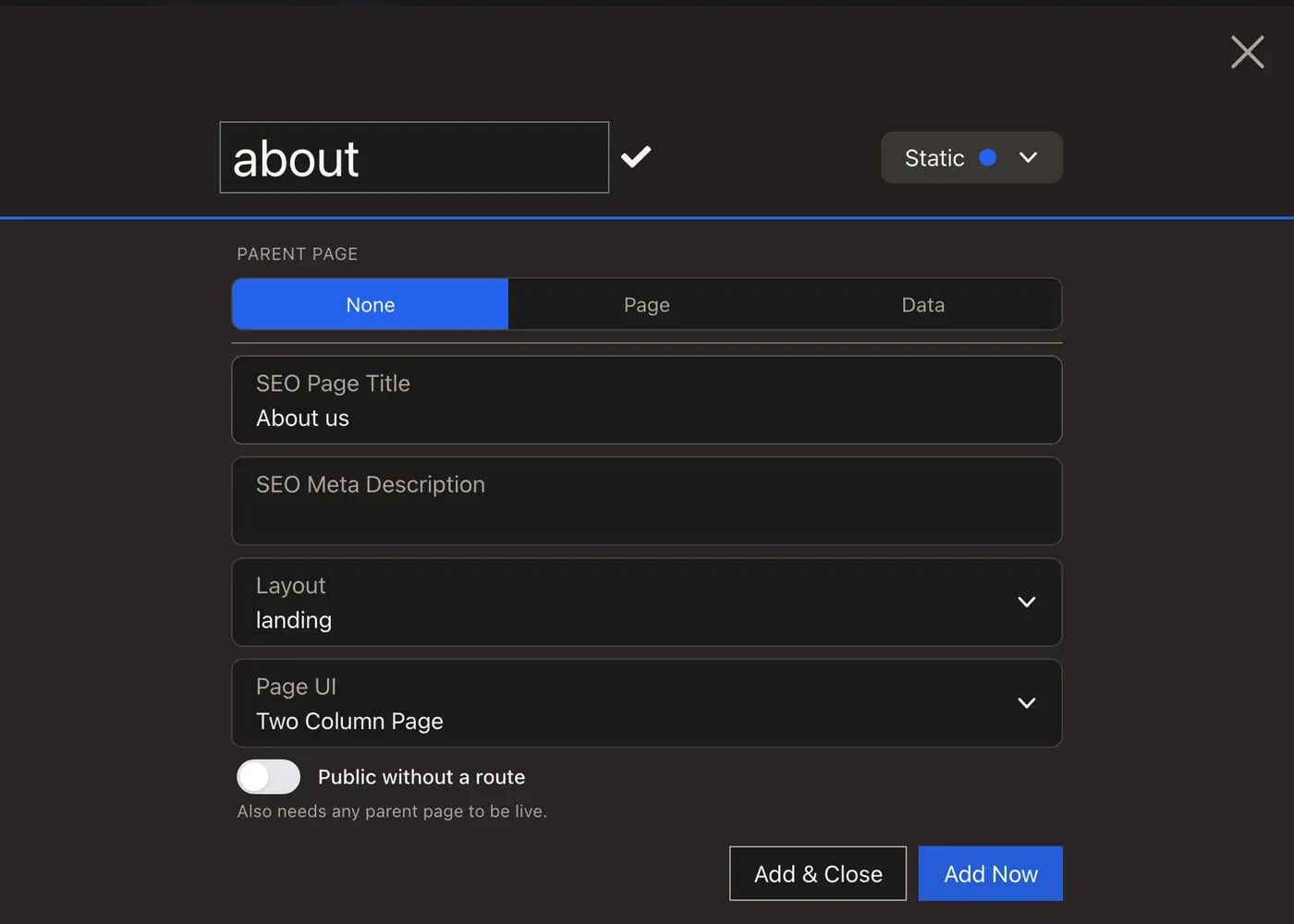
/_cwa/pages → + → choosing Two Column Page as the Page UI and the landing layout → Add Now; the page opening on its Routes tab, clicking Create New Route, entering landing and clicking Save Route, then visiting /landing to see the landing layout wrapping the still-empty pageVia fixtures
Add the page to build() in api/src/DataFixtures/Parts/LandingScaffoldPart.php, after the layout:
public function build(CwaFixtureBuilder $cwa, ScaffoldState $state): void
{
    $cwa->layout('landing', 'Landing');

    $cwa->page('landing-page', 'TwoColumnPageTemplate', layout: 'landing', route: '/landing')        ->title('Landing');}
layout: 'landing' refers to the layout's reference from $cwa->layout('landing', …), not its uiComponent. The route is /landing, because the template's own home page already has /. Load it again from the project root:
docker compose exec php bin/console doctrine:fixtures:load --append
The layout already exists, so it's kept; the page and its route are created. See Data Fixtures for the full API.
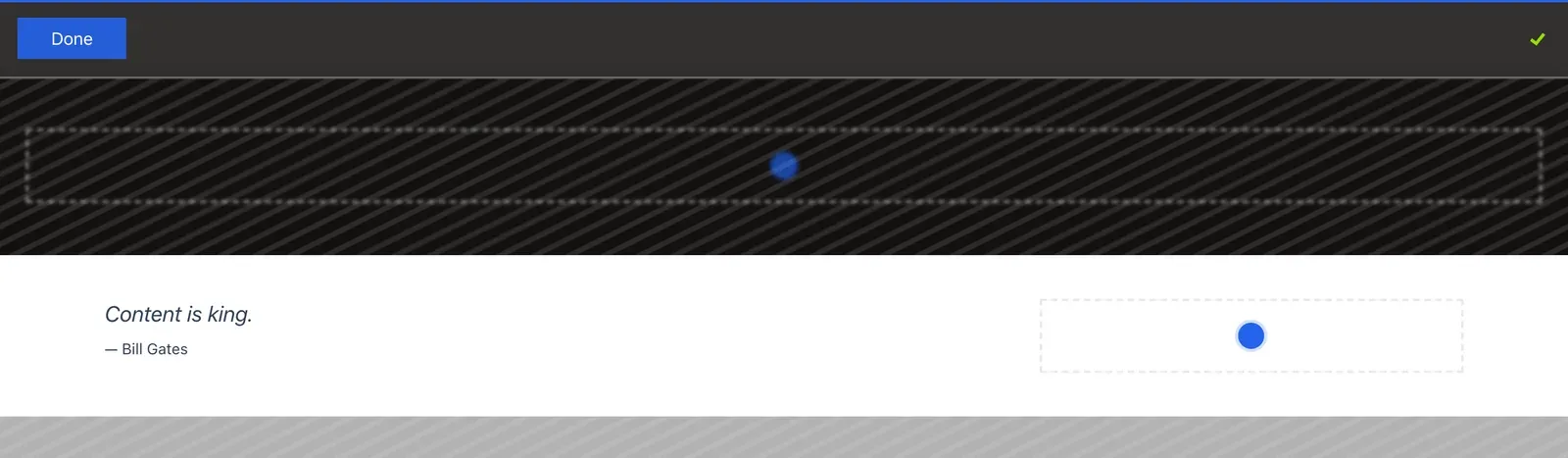
Visit https://localhost/landing: the landing layout's banner and footer wrap your empty two-column page. Sign in and click Edit to see a + in each group.
Next: Create a Component
With a layout and page template in place, build a component in Your First Component to fill those groups with real, editable content.